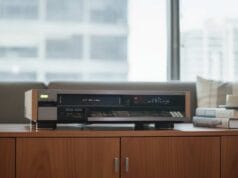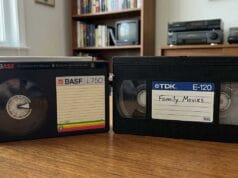
If you’ve gone looking for the best VHS capture card 2026 has to offer (the same device captures Video8, Hi8 and S-VHS), you’ve hit the same wall the rest of us did: a great deal of contradictory advice, a surprising amount of which ends in “buy a twenty-year-old PC.” Here’s what the card-shopping question hides — the device that actually digitises the signal is the easy, cheap part. The hard parts now are getting a clean, stabilised signal into it, and having a computer that can run the thing at all. So this is less a list of cards than a straight account of what genuinely works in 2026, why the most-repeated advice is quietly becoming a trap, and the routes that get you out of it.
One framing first: there are two ways to get analog video off a tape. This is the analog-capture path — a capture device turns the picture coming out of the VCR into a file. The other is the RF path (vhs-decode), which I’ve signposted at the end. Finish here first, then decide which is for you.
The quick answer — the best VHS capture card 2026
Without the tour: don’t build a vintage Windows XP box. Either capture on a modern machine with a known-good USB device (the simple route), or assemble a modular, buy-it-new chain around a frame sync and an SDI capture device (the quality route) — and if you’re comfortable on Linux, that sidesteps most of the driver pain entirely. Whichever you pick, the capture card matters far less than the signal feeding it and the computer behind it. That’s the whole game.
The advice you’ll be given — and why it’s a trap in 2026
Spend any time on the established capture forums and you’ll meet a firm, well-meant orthodoxy: build a dedicated old Windows XP machine, fit it with a specific old PCI or AGP capture card, run period consisten capture software, and keep it off the internet. There’s a real reason behind it — those old cards and their drivers genuinely captured beautifully, and nothing newer was ever a clean drop-in replacement. The advice isn’t wrong about the hardware. It’s that the world has moved on underneath it, and in 2026 the plan falls apart before most people reach the fun part.
- XP won’t run on current hardware. There are no XP drivers for modern chipsets, so you can’t just install it on a new PC — you’re forced onto a second-hand machine of the right vintage.
- The slots are gone. Those cards are PCI or AGP; current motherboards have neither. The card and the modern computer are physically incompatible.
- The support scaffolding is offline. XP’s update and activation servers are long dead, so even with the right driver in hand you fight to get the supporting pieces Windows expects. If you’re not an IT person, that’s a wall at step one — and I say that as someone who is one and still found it a slog.
- Modern Windows is closing the door. Windows 10 support is ending, and Windows 11 is removing its trust in the old cross-signed kernel drivers from the April 2026 security update — so the legacy capture drivers won’t even load on a current machine by default.
- The software is scarce, and the common fallback is wrong. The capture programs that drove those cards are hard to find, and the tool most people reach for instead — OBS — was built for live streaming, not for Rec.601 tape capture. It’s the wrong instrument for the job, and it shows.
None of this is the community being foolish; it’s a niche task that peaked on hardware and an OS that have aged out. But the practical upshot is that the “just get an XP box” answer now sends a beginner down a path that’s frustrating at best and a dead end at worst. The good news — and the rest of this article — is that there are good options that the above standard advice tends to skip.
Untangle one contradiction first
The same advice often contradicts itself, and spotting it makes everything simpler. You’ll be told, correctly, that you need a line Time Base Corrector (TBC) and a frame sync to stabilise a tape signal — and then told, in the next breath, to buy a capture card that stabilises the signal. Which is it? Both, really, but they don’t have to be the same box. Stabilising the signal (a line TBC, usually inside a good deck, plus a frame sync for whole-frame errors) and digitising it (the capture device) are two separate jobs. The difference between those correctors is laid out in what’s the difference between a TBC and a frame sync device. Once you stop expecting one magic card to do everything, a clean, modern chain falls straight out: stabilise first, then digitise, each with the right tool for its job.
A capture chain you can buy new, today
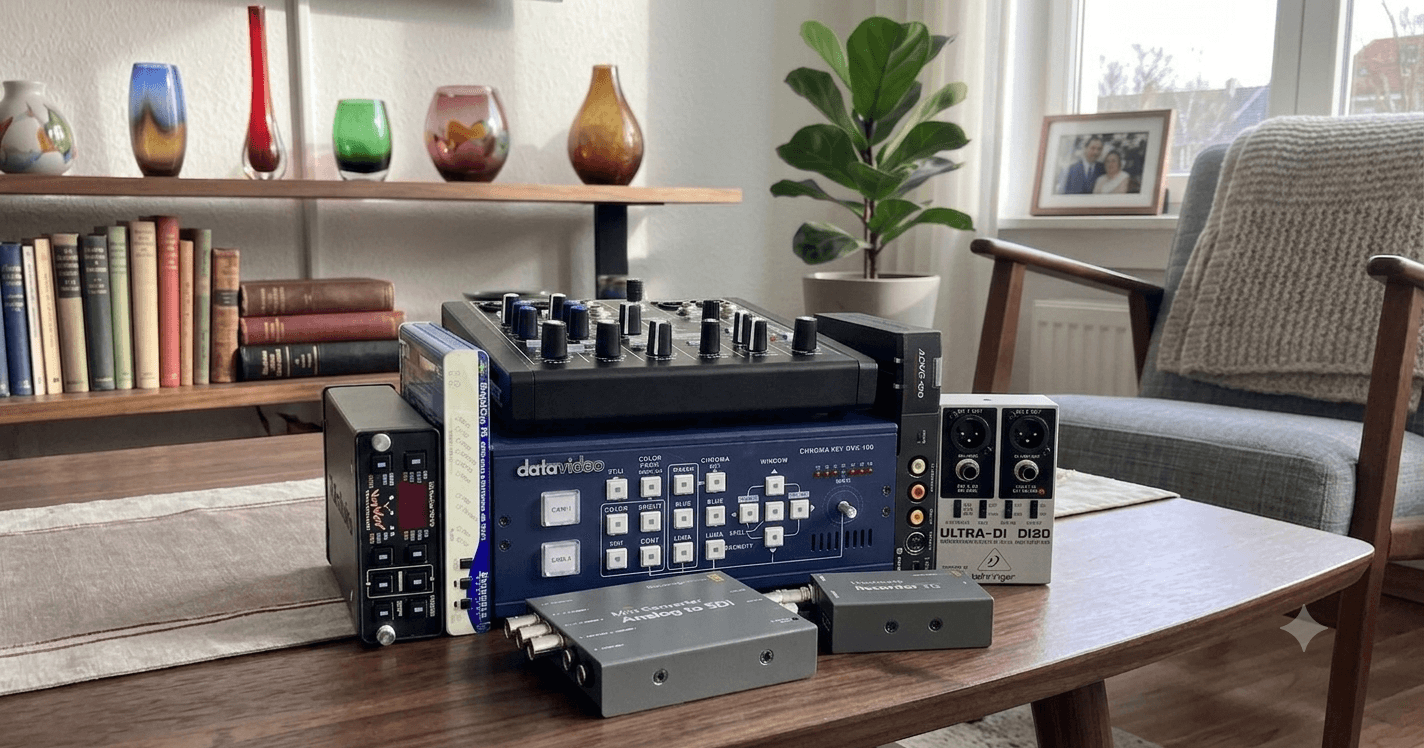
Here’s the part the gear-fretting misses. You can build a complete, high-quality capture chain entirely from current products you can order new in most countries — no eBay lottery for a dying card. The shape is always the same: a good deck → stabilise the signal → convert it to SDI → capture the SDI → into your computer.

A concrete example that works: take the S-Video output of an S-VHS deck (with its line TBC on) into a frame-sync / TBC box; feed that into a Blackmagic analog-to-SDI mini converter; run the SDI into a Blackmagic UltraStudio Recorder 3G over Thunderbolt; and capture on a Mac in Blackmagic Media Express. If you want to make that even better, first route the audio through a small mixer (e.g. a Mackie ProFX-class unit) and a DI box (e.g. a Behringer one, to keep earth-hum out of the line), into the same converter so picture and sound arrive together with appropriate volume to match (what can be quite changeable) coming out the back of the deck.
On the software side, you don’t have to use Blackmagic’s own Media Express. vrecord — a free, open-source tool from AMIA (the Association of Moving Image Archivists) — drives a Blackmagic SDI capture directly and shows you live waveform and vectorscope displays and audio meters as you go, so you can see exactly how the capture is faring and monitor the audio live (something Media Express won’t let you do). It writes a lossless FFV1/Matroska master and runs on macOS and Linux. On a chain like this, it’s the front-end I’d reach for.
The one thing to know about the Blackmagic side: those cards expect a clean, broadcast-legal, already-stabilised signal. Feed them raw VHS and they drop frames or hand you black ones. That isn’t a fault — it’s exactly why the frame sync sits in front of them. Stabilise the signal first and the result is genuinely excellent: in the side-by-side samples in the capture-method comparison, this Blackmagic chain lands a clear third overall — bested only by the RF/vhs-decode route.

That chain looks like a lot of boxes, so here’s how to shorten it. A single BrightEye 75 (Ensemble Designs) rolls the frame-sync/TBC and the analog-to-SDI conversion into one unit, so the chain collapses to deck → BrightEye 75 → SDI capture → computer. And for a simple setup you can drop the audio mixer and DI box altogether. The components are modular and mix-and-match; there’s no single “correct” box. The bonus is the Brighteye 75 is also available new.
Yes, it costs money. But put it in proportion: a single second-hand frame-sync TBC of the sought-after vintage can fetch four figures on its own, so a brand-new, fully-supported chain isn’t the extravagance it first sounds — and everything in it is current, warrantied and replaceable. If you’d rather spend less, swap the dedicated frame sync for a second-hand Panasonic ES15 (or ES10/ES25) in passthrough — a “pseudo-TBC” that’s still readily found and does a genuinely good job, with its noise reduction switched off. That’s the same budget stabiliser the why-your-capture-looks-worse piece recommends and avoids the most expensive part of the above chain.
Linux: the route the old advice never mentions
The legacy orthodoxy is built around Windows, and it never seems to mention the operating system that sidesteps most of the trouble. A modern Linux machine has active, supported capture drivers built straight into the kernel — the Video4Linux (V4L2) framework covers many of the classic capture chips (cx23885, saa7134, stk1160 and more) — and mature, free capture tools sitting on top of them (ffmpeg, mencoder, dvgrab). So you can run a current computer with a supported card and skip the whole XP-and-signed-driver nightmare. And because the drivers are open source, a chip that’s fallen out of favour can often be rebuilt as a kernel module rather than abandoned to a museum PC. If you’re comfortable at a terminal, it’s the cleanest way out of the driver-and-OS trap there is.
FireWire and the Canopus option
One more path mixes and matches with everything above. The Canopus ADVC converters turn an analogue signal into clean DV and send it over FireWire — a tidy, well-regarded route (also shown in the capture-method comparison article has an example as option 2. The wrinkle is FireWire itself: the latest macOS has dropped support for it, and Apple’s Thunderbolt-to-FireWire adapter is now scarce. It still works on older macOS with period software, and — more durably — on Linux with dvgrab, which is still maintained. If you already own a Canopus box, or want a DV-based workflow, it’s very much still on the table; you just choose the computer and Operating System to suit it rather than the other way round.
So stop fretting over the exact card
The thread running through all of this: people agonise over which single card is “the best,” when the real answer is that it’s a chain of separable parts — stabilise, convert, capture — most of it buyable new and freely mix-and-match. The card is rarely the bottleneck. I’ve been running a fairly broad range of these options through the same tape to show exactly how they compare, head to head; that full shoot-out is coming as its own piece. Until it lands, the capture-method comparison already shows the gist, including where the Blackmagic chain sits.
What about the simple, cheap end?
If a modular SDI chain is more than your project needs, the modern, low-friction answer still holds — and it’s not an XP box either. A current PC on Windows 10 or 11, a known-good USB capture device (an I-O Data GV-USB2 or a StarTech, not a no-name USB stick), capture software built for tape (AmarecTV or VirtualDub2 — again, not OBS), and a Panasonic DVD recorder in passthrough to stabilise the signal. That’s a perfectly good archive-grade result for most family collections, and the buying guide goes through the specific devices. The point is simply that you have a real choice between “simple and modern” and “modular and excellent” — and “vintage and frustrating” needn’t be on the menu at all.
What none of this can fix
Remember, no capture device or chain repairs a damaged tape, recovers detail the tape never held, or compensates for a worn deck with dirty heads and poor tracking. The capture stage is the last link — it can only digitise what reaches it. The deck, the cleaning and the signal stabilisation are where the quality is won or lost; the device that turns analogue into digital is the cheap, easy end of a good chain, not the hard part. Spend your attention there first.
The other path: RF capture with vhs-decode
Everything above is the conventional analog-capture path, and for most archives it’s the right one. The alternative is RF capture: instead of letting the VCR decode the tape and digitising the result, you tap the raw radio-frequency signal off the head, bypassing the VCR’s output electronics completely and rebuild the picture in software — no capture card, no hardware TBC, because the decode does the time-base correction itself. It’s more involved, slower and requires soldering, but it’s the route that beat every conventional chain for quality in that comparison. If that’s the direction you want, start with how vhs-decode actually works, then the RF capture hardware for 2026, and how to use vhs-decode to turn a capture into a finished archive.
What’s next
Pick the route that fits — simple USB on a modern PC, a modular buy-it-new SDI chain, or the RF path — and once you’ve a clean capture, the work turns to keeping it. That’s the job of designing a family archive that survives you. And the full head-to-head comparison of these capture options, on one tape, is on its way.