This is the self-hosting half of Your off-site backup: the options, and what it really costs. That main article lays out three ways to keep a copy of your archive out of the building, and works out that for a large, growing collection the cheapest of them over the years is a self-hosted backup: a second machine of your own, kept somewhere else. This article is how you actually do that.
A plain warning before we start, because this is the technical path. If you don’t run a network drive at home and have no wish to learn, the main article already pointed you at the gentler answers, a cloud account or a drive handed to family, and you can leave here with a clear conscience. What follows is for the reader who runs a NAS, or wants to, and would rather own the hardware once than rent space forever.
The idea: a self-hosted backup of your own
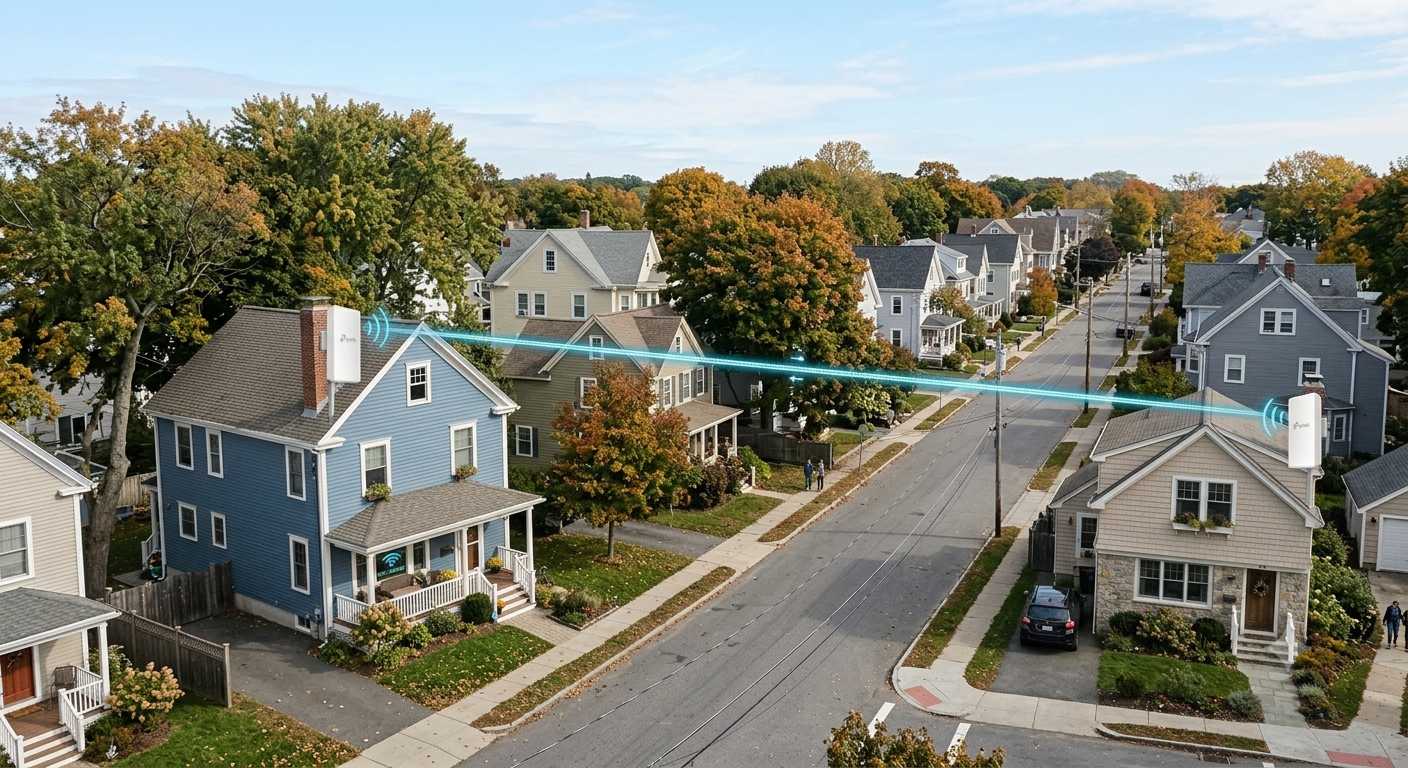
The idea itself is simple. Instead of renting cloud space, you put a second network drive in someone else’s house, a sibling, a parent, a friend with the same need, and have your main one copy to it automatically over the internet. After the upfront cost of the hardware there is nothing more to pay. The two of you become each other’s off-site copy, and the data never sits with a company that can raise its prices or shut its doors.
The catch, and the reason this sits on the technical path, is that you are now running the thing yourself. There is a box to buy, software to set up once, and a little ongoing attention to keep it healthy. The main article has the money side of this, the case for why owning beats renting once an archive is large; this article assumes you’ve read that and want the how.
Choosing the box: QNAP, TrueNAS, or roll your own
Two kinds of machine do this well, at two levels of effort. A consumer NAS from QNAP is the appliance route: you buy it built, and its software replicates to another QNAP over the internet through a handful of menu screens. TrueNAS is the roll-your-own end, free software you run on a machine you assemble or repurpose, more capable and more demanding in equal measure. A newer name, UGREEN, sits in between and is worth watching: the hardware is good value and you can install TrueNAS on it, though its own bundled software is young, and I’d test its backup features carefully before trusting an archive to them.
One thing the good options share matters more than the badge on the front. The better QNAP models, its QuTS hero line, and TrueNAS both run a storage system called ZFS, and ZFS does something ordinary drives don’t: it checks every file against a fingerprint each time it is read, and quietly repairs anything that has decayed. Drives flip the odd bit over the years, the slow corruption people have taken to calling bit rot, and on most systems you never learn of it until a photo won’t open. ZFS catches it and heals it.
Why I would choose ZFS over anything else a NAS offers is a longer story than this article wants, and it deserves a piece of its own, much as encryption does; for now it is enough that hosting your copy on ZFS is what keeps an archive intact over decades, not merely present.
My own setup is the TrueNAS end of that: four sixteen-terabyte drives in what ZFS calls a RAIDZ1 array, which lets any one of the four fail without losing anything and leaves around forty-eight terabytes of usable space. The home archiving media, snapshots and all, is the largest single thing on it and still growing; the rest isn’t spare so much as busy, holding backups of virtual machines, containers, websites, my document system and the CCTV, which is the usual story once a box like this exists. The drives came to roughly eighteen hundred US dollars.
Don’t read that size as a target: you buy the capacity your own needs call for, and the main article works through how owning it still lands cheaper than renting over the life of the drives.
Why a ZFS copy is a real backup
What makes a drive-to-drive copy trustworthy, rather than just a second heap of files, is how the good systems move the data. If both boxes run ZFS, the copy is the cleanest kind there is. It sends the filesystem’s own snapshots, block for block, so the far copy is an exact, checkable mirror of yours as it stood at a moment in time, not a re-uploaded approximation. And because each run sends only the blocks that changed since the last, the daily copy stays quick even when the archive is enormous.
There is a second, quieter benefit, and it is the one that decides whether you’ve built a backup or merely a second copy. ZFS keeps snapshots: frozen views of how everything looked at past moments, held cheaply alongside the live data. So if a file is deleted or scrambled at your end, a plain sync would faithfully carry that damage to the far copy, but the snapshots underneath still hold the good version and you can roll back to it. That is the whole line between a sync, which only ever mirrors the latest state, and a backup, which remembers.
It is the same distinction the provider list draws in its “sync or backup” column, and on a ZFS box you get the backup side of it for nothing.
Keeping it private at someone else’s house
There is an obvious worry about putting your data in someone else’s house, and it has a clean answer: encryption. TrueNAS can send a raw, encrypted stream, which means the data arrives at your friend’s box already scrambled and the key never leaves yours. Your friend stores the bytes and physically cannot open them.
QNAP’s ZFS models can do the same, and QNAP also ships its own backup tools if you would rather not touch the underlying machinery. So the arrangement asks your friend to keep a box powered and plugged in, not to be trusted with the contents. How far to take encryption, and what its different kinds actually protect against, is a subject of its own that Keeping your family archive out of the wrong hands works through.
How the two boxes find each other
Whatever you buy, the copy has to travel from your house to the other one, which means the two boxes have to be reachable across the internet. There are two ways to arrange that, and the easy-looking one is a trap.
The easy-looking way is to lean on the maker’s own cloud service, the myQNAPcloud sort of thing, which brokers the connection so you never think about your home network. I would avoid those services, and not lightly. NAS makers sell hardware on a long list of features, and a properly secure cloud is not among the things they are good at. QNAP boxes exposed through exactly these conveniences were mass-targeted by the DeadBolt ransomware, which locked thousands of owners’ drives and demanded payment, and QLocker and others have worked the same seam. The pattern is consistent enough that the safe assumption is to keep these boxes off the open internet.
The way I’d do it instead is to reach your own home directly: a fixed IP address from your provider if you can get one, a dynamic DNS name that follows your home connection as its address changes, or IPv6, which increasingly makes this simpler. It is a little more to set up once, and it keeps the door under your control rather than the manufacturer’s. This part is needed whichever box you chose; it is not a roll-your-own thing.
No second house? Cloud that speaks ZFS
If you like the idea but have no second house to put a box in, a couple of providers meet you halfway by speaking the same ZFS language. Rsync.net is the one that natively receives a ZFS stream, so your TrueNAS replicates to it exactly as it would to a NAS you own. It is a premium, properly supported service rather than a cheap bucket, and its ZFS accounts start at ten terabytes, so it suits a larger archive.
Zfs.rent is the budget version of the same idea: a small operation that rents you a slice of a ZFS machine to replicate into, cheaper, and with correspondingly less hand-holding. Both of these, and the rest of the field, sit in the full backup providers list if you want to compare them side by side.
Rolling your own with rsync
Most people will never see any of this machinery. On a QNAP, the ZFS, the snapshots and the copying all happen behind a few buttons in its interface; you point it at the other box and it gets on with it. The reason to go further is only if you’d rather not depend on an appliance at all.
If you are comfortable at a command line, you don’t strictly need one. Given a box you control at the far end, and the home-network setup from a moment ago, you can drive the whole thing with rsync scripts and a scheduler, or with ZFS’s own send-and-receive if both ends run it. There are many ways to do it, and which one is right comes down to your skill more than anything else.
The slow part is the same whichever route you take. The first copy, while the bulk of the archive crawls up your home connection, can take days or even weeks. After that it is only ever sending what changed, so it settles quietly into the background.
Test the restore
One last thing, the same last thing as everywhere else in this series: a copy you have never restored from is a hope, not a backup. A replicated array can feel solid without ever having been tested — prove it by pulling some of it back. Pull some of it back from the far box, open the files, check the photos are photos and the video plays, then do it again in a year. Encrypted copies most of all, because a copy you cannot decrypt is no copy at all. The main article has more on why this matters.
What’s next
This is the self-hosting spoke of the family-archive series. The decision behind it, and the numbers, live in the main article. If you decided the cloud was the better fit after all, its companion is Choosing a cloud provider for your family archive. The whole field of providers, self-hosted and cloud alike, is in the backup providers list. Keeping the copy private is its own subject, in Keeping your family archive out of the wrong hands. The series proper is Part I: Backups and Part II: Preservation, and any unfamiliar terms are in the glossary of terms.