Wondering how to preserve family photos for the long term? This is Part II of the family-archive series. Part I covered the backup half — copy discipline, the 3-2-1 baseline, and the snapshot-and-replicate model for collections that have outgrown hand-copying. This part is about preservation: keeping the media itself physically safe for the long haul. That means two things at once — the analogue originals in their boxes, and the physical copies of the digital files you have made from them — and the people who do this for a living have worked out a great deal that translates surprisingly well to a household.
Backup and preservation share a vocabulary but solve different problems. Backup recovers from events — a drive fails, a laptop is stolen, a folder is deleted by accident. Preservation copes with everything that happens between events: the slow death of storage media, the disappearance of the software that reads the files, the gradual chemical breakdown of the physical objects themselves. The same tools won’t fix both.
Nothing digital lasts on its own
Most family-archive conversations skip a piece of framing that’s worth pausing on: digital storage doesn’t actually last very long on its own, and there isn’t a perfect solution to that. What follows is a map of the territory, not a prescription — seeing the trade-offs clearly is the most useful thing an article like this can offer.
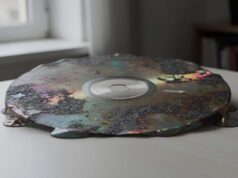
A USB stick left in a drawer for twenty years is more likely to be empty than full. An external hard drive in a cupboard is on a three-to-eight-year clock. SSDs lose data when unpowered for long enough, because the flash cells slowly leak their charge. A cloud account dies with its owner unless succession is arranged, and the data is gone not long after the payment stops. The only digital strategy that genuinely works over decades is the maintained one — drives swapped on a schedule, files copied forward to fresh hardware, the system actively cared for rather than left alone.
The default most people land on without thinking about it is “three USB sticks, one for each child”, and twenty years later the sticks are dead. The slightly more thoughtful default is “the photos are in the cloud”, and the account closes when the bill stops being paid. Both are common; both fail quietly.
Analogue is the other half of the picture, and worth knowing about even if your archive will live mostly in digital form. A photograph printed on good paper can outlast a hard drive by a century. Motion-picture film in cool, dry storage holds up for fifty to a hundred years and longer. Even videotape — much-maligned as fragile — stays readable for decades on a shelf if it’s kept dry and cool. That is far longer than the file you have captured from it will survive on consumer hardware without active maintenance.
So the practical conclusion is an unfashionable one: don’t throw out the originals. If you’ve digitised a box of tapes, the tapes don’t have to leave the house. The originals become the long-tail insurance policy for the digital archive — the thing you can go back to if a file is lost or a future capture could do better — rather than something to discard the moment they’re captured. Which raises the obvious question: what does keeping them safe actually involve? The people who do this professionally have a well-worked-out answer.
How to preserve family photos: how the professionals do it
Walk into the storage area of an archive or a museum and the room itself is the preservation tool. It’s cool, often properly cold; the humidity is held steady; it’s dark; the air is reasonably clean. The objects sit in low-acid boxes and sleeves on powder-coated steel shelving, off the floor, each format with its own conditions. Film that has started to break down is stored colder still, and kept apart from everything else. The same institutions publish guidance pitched at households; the Library of Congress sets out personal archiving advice for photographs that distils the professional approach into steps that work at home.
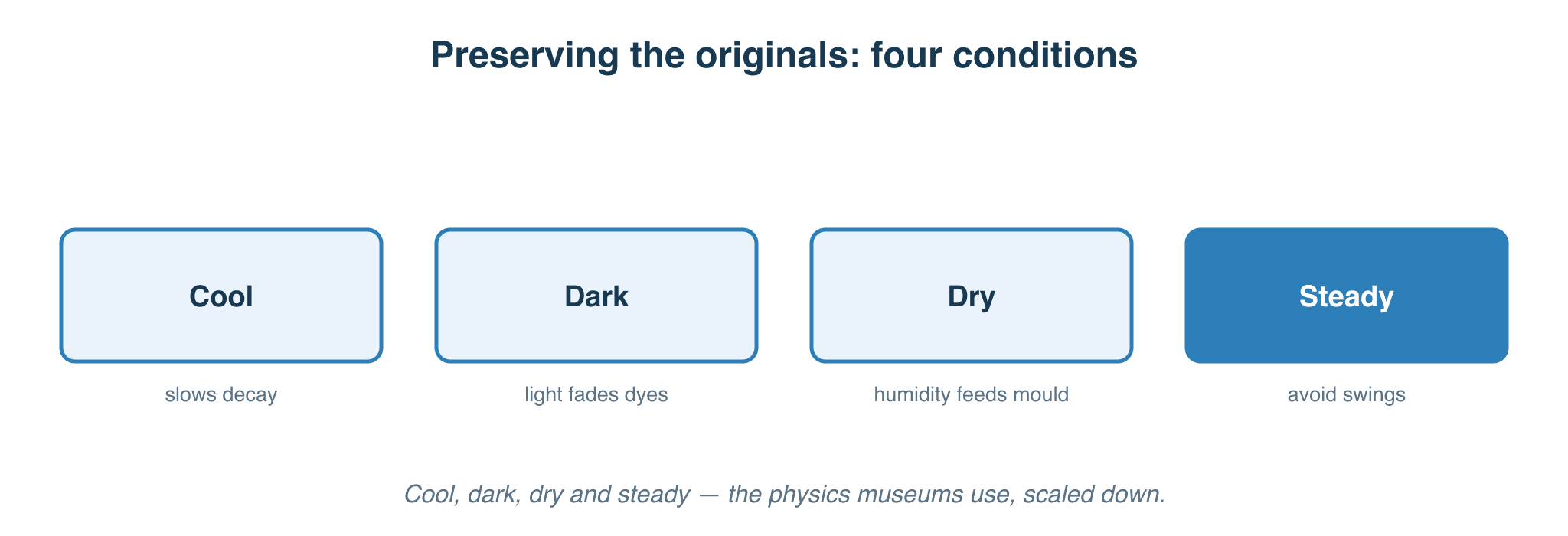
There’s a single idea underneath all of it. Every form of decay an archive fights — fading dyes, embrittling paper, film turning sour, tape binders going sticky — is a chemical reaction, and chemical reactions slow down when it’s cool, dry, dark and stable. None of this is guesswork: it sits on decades of measurement, gathered up into standards from the Image Permanence Institute, the International Association of Sound and Audiovisual Archives, the US National Archives and the relevant ISO committees. Institutions don’t store film at four degrees because it feels safe; they do it because the chemistry says it roughly doubles the time before the damage shows.
You can’t build a vault at home, and you don’t need to. The same physics works at any scale. A cool, stable interior cupboard is doing real preservation work; a hot, humid attic is actively destroying things. Low-acid enclosures cost a few pounds and buy decades. The rest of this article is mostly the professionals’ approach, scaled down to what a household can realistically manage — and candid about where the realistic version falls short of the ideal.
Keeping the physical originals safe
Cool, dry and — above all — steady. The rule of thumb the whole field rests on is that dropping the temperature by about ten degrees Celsius roughly halves the rate of chemical decay, which roughly doubles how long something lasts. But the more useful point for a home is the second one: stability matters more than hitting any particular number. A steady fifteen degrees in an interior cupboard outperforms a “correct” environment that swings from five degrees in winter to twenty-five in summer, because it’s the cycling — the daily and seasonal expansion and contraction — that does much of the damage. Aim for cool and for somewhere between roughly 30 and 50 percent relative humidity, but spend your effort on keeping conditions stable rather than chasing a perfect figure. The cool, stable corner of a heated house is doing more work than people give it credit for; the attic, the garage and the unconditioned basement are where things die.
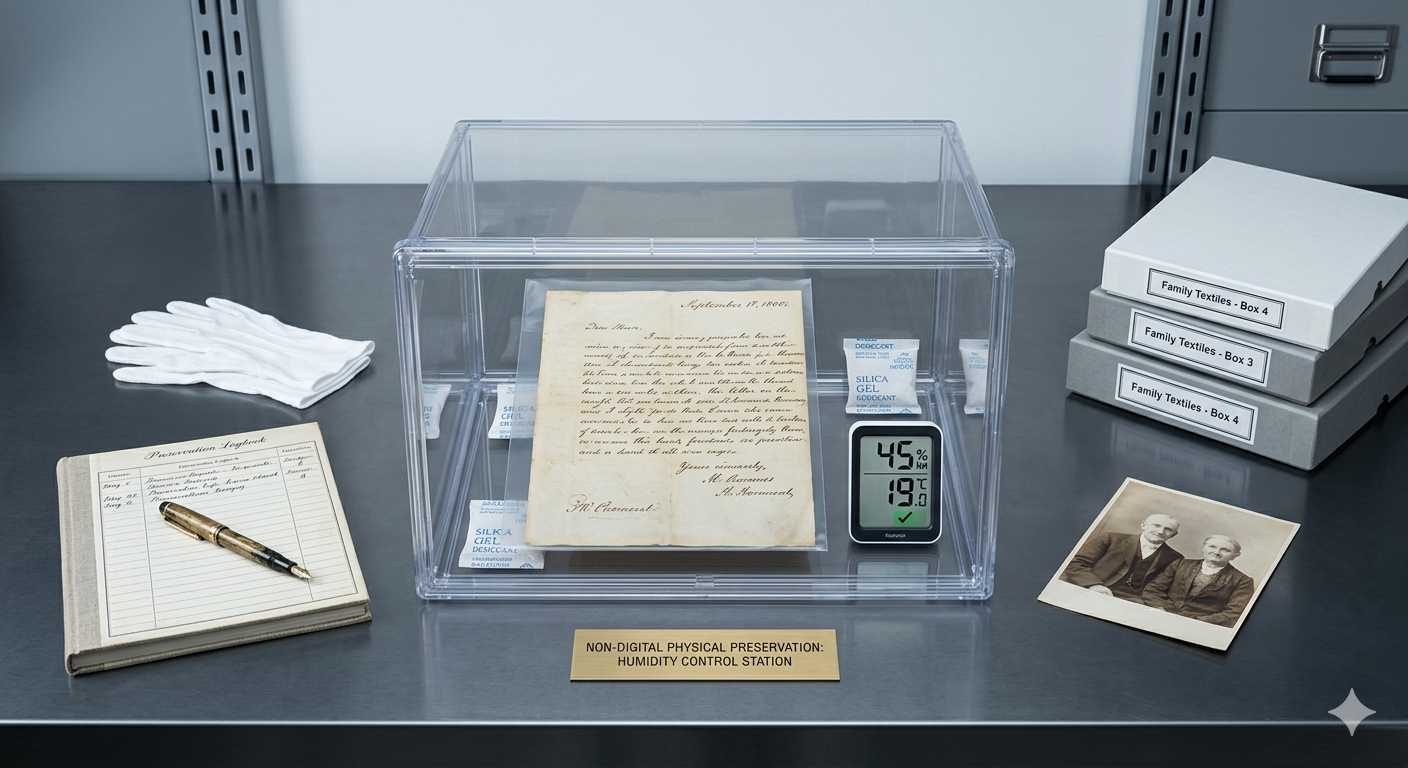
Controlling humidity, practically. There are two ends to this. At the low-cost end, a well-sealed box with a few rechargeable silica-gel packs and a cheap digital hygrometer will hold a reasonable humidity for the things inside it — as long as you remember that passive desiccant saturates over time and has to be dried out again, more often in a damp climate or if you open the box a lot. At the other end, a powered photographic “dry cabinet” — the kind sold for camera gear — regulates humidity continuously and shows you the reading on the front; the smaller ones start around the £150 mark and the larger ones climb from there. The cheap route works, but it’s the route that quietly fails if you forget to recharge the gel; the cabinet is the route that looks after itself. Which one is right depends on how much you’re storing and how much ongoing attention you can promise.
What “archival” actually means on a box. The word “archival” isn’t regulated, so it’s worth knowing what to look for underneath it. “Acid-free” and “lignin-free” are real, testable properties and a good sign. But for anything that touches a photograph, the meaningful test is the Photographic Activity Test (the standard is ISO 18916): it checks whether the enclosure will chemically react with the image over time. Look for enclosures that state they pass it. One subtlety that catches people out: buffered (alkaline) paper and board is right for documents and most modern prints, but the wrong choice for colour photographs and for some older processes such as cyanotypes, which want unbuffered storage — if in doubt with colour, unbuffered is the safer default. Avoid PVC and vinyl sleeves entirely, along with old “crystal clear” acetate ones; polyester (Mylar), polypropylene and polyethylene are the inert plastics. The established suppliers — Lineco, Hollinger Metal Edge and Gaylord in the US, Preservation Equipment Ltd and Conservation by Design in the UK — sell tested stock at sensible prices.
Handling, and how slides and negatives are stored. The cheapest preservation there is comes down to how you touch things and what they sit in. Handle film, negatives and prints by their edges, with clean dry hands or lint-free gloves — nitrile for prints, where grip matters and skin oils are the enemy; soft cotton for film if you prefer. Fingerprints etch in slowly and are effectively permanent once they have. For storage, slides go into archival slide pages and negatives into inert sleeves (polyester, polypropylene or polyethylene — the same inert plastics noted above), kept upright in a box rather than loose in the acidic paper wallets they often arrive in. None of it is dear, and it’s the part most people skip.
The failure modes you’re storing against. Knowing what actually goes wrong makes the conditions above feel less arbitrary. Older home-movie and negative film on a cellulose-acetate base is prone to vinegar syndrome — the base breaks down and releases acetic acid, which you can smell, and the process feeds on itself once it starts, so heat and humidity make it accelerate. Film on a polyester base is far more stable; if you have acetate film you care about, cheap colour-changing detector strips will tell you whether it has begun. Magnetic tape suffers its own version, where the binder holding the oxide absorbs moisture and turns sticky. Paper embrittles as acids build up in it. The common thread is that a degrading item gives off products that attack its neighbours, so anything that has started to go should be stored cooler and kept apart from the rest. For the small number of items that are both precious and already deteriorating, genuine cold storage — a dedicated fridge or freezer, with the material sealed in bags and allowed to come back to room temperature before opening — is the serious-end option that buys the most time. It isn’t for everyone or everything, but it’s there.
Physical copies of digital media
The digital side of the archive needs a physical home too, and the carriers differ enormously in how long they actually last. It helps to stop thinking of these as “backups” — Part I covered the copy discipline — and start thinking of them as physical objects with very different lifespans, the same way film and paper have lifespans.
- Printed photographs — the most durable consumer option for stills. A good print, kept out of direct sunlight, will outlast every digital carrier in this list with no maintenance at all, and there’s a case that the digital file becomes the backup of the print rather than the other way around. Which kind of print lasts longest is genuinely contested: a professional lab print on traditional photographic (silver-halide) paper is the convenient durable option and is rated for many decades on display; a pigment-ink print on cotton-rag paper can test even longer in dark storage; and a properly processed black-and-white silver-gelatin print is the longest-lived of all. The paper matters as much as the ink. For the photographs you most don’t want to lose, print the best of them, large, on good paper.
- M-Disc — the strongest optical option, for the small precious tier. M-Disc is the most rigorously tested consumer optical medium there is: a 2009 accelerated-aging study at the US Naval Air Warfare Center showed M-Disc DVDs surviving conditions that destroyed every conventional archival DVD they were tested against. The “thousand-year” figure is an extrapolation from that test rather than something anyone has observed, but the decades-of-stability claim for M-Disc DVD is solid. Two caveats. The Blu-ray version was reformulated in 2022 to use the same recording layer as ordinary Blu-ray, so the original story doesn’t carry over to M-Disc BD bought today. And the discs need a Blu-ray drive to read them — Pioneer has left that market, though ASUS and LG still make drives — which means the discs may well outlast the hardware that reads them. At a few gigabytes a disc it suits the precious-photographs-and-letters tier, not bulk video.
- LTO data tape — the professional answer, and why you’re probably not buying one. Archives and data centres store on LTO tape, and it’s genuinely excellent: thirty-plus years of media life, eighteen terabytes on a cartridge that costs a fraction of the equivalent in hard drives. The catch is the drive, which runs to several thousand pounds, and a compatibility trap that has been tightening: a new LTO drive used to read two generations back, then one from generation 8, and the latest generation 10 reads only its own tapes. That shortens the window in which you can migrate an old tape onto a new drive before it’s stranded. Amortised across hundreds of terabytes it makes sense for an institution; for one family’s collection it doesn’t, and it’s worth understanding why so you can stop wondering whether you’re missing out.
- Hard drives — the working tier, not archive media. Cheap, dense, and the right place for the bulk of an active archive — but a consumer drive should be assumed to fail somewhere between three and eight years. Buy two from different batches, keep them as parity copies, power the cupboard one on at least once a year so you’d notice if it had gone bad, and replace on a schedule rather than waiting for the failure. Think of an external drive as a transient copy of your archive, not as the archive itself.
- SSDs — not an archive medium at all. Solid-state drives lose data when left unpowered, because the flash cells leak charge — the consumer specification assumes only about a year of unpowered retention at normal room temperature, and far less when hot. They’re ideal for capture, where they handle sustained writes without dropping a frame, and useless for putting away to wait. Worth saying plainly, because the premium price leads people to assume they’re “better” for everything.
- Cloud — off-site, but not a physical copy. Cloud storage is a strong off-site leg of a backup plan, and it’s covered in Part I. As a preservation medium it has one failure mode the physical carriers don’t: the account dies with its owner unless that’s been arranged for, which the succession section below deals with.
One option sits between the digital and the physical and deserves a mention for the handful of images that truly matter. A small number of specialist labs can still write a digital photograph back out onto real photographic film — a genuine silver-halide negative or transparency, made on a film recorder, indistinguishable from a camera original and ageing the same way. In 2026 the services exist in the UK and the US, but they’re niche and not cheap — typically somewhere between roughly £65 and £160, or a few hundred dollars, per sheet depending on size — and the machines that make them are old and no longer built, so the option may not be around forever. For a dozen irreplaceable images it’s a way to give a digital file a physical, analogue original of its own; for anything more than that it isn’t practical.
The other thing the carrier doesn’t cover is the file format itself. Open, widely-implemented formats outlive proprietary ones — the likes of MKV, FLAC, TIFF, MP4, JPEG and PDF all have multiple independent implementations and decades of momentum behind them, where a single-vendor format can become unreadable when the vendor changes direction. The institutional position is firm on this, with the major archives naming open formats as their preservation targets across video, audio, stills and documents. The specific format-by-medium choices are their own conversation, for a later article; the principle — lean on open formats — is the part that belongs here.
Keeping it findable
An archive nobody can navigate is barely an archive, and the physical and digital sides have to point at each other. The minimum is a single readable index — a plain CSV spreadsheet listing every item, what’s on it, where the file lives and where the original is stored, with the boxes labelled to match. CSV opens in every spreadsheet program ever made and still reads as plain text if they’re all one day forgotten. Recent AI vision tools have made the first pass at building such an index much quicker — they’ll pull names, dates and the text off a tape sleeve from a photograph or a scan, though checking what they got right is most of the work. The detail of how to structure all of this is worth its own article; the point for now is simply to keep one.
Succession — and putting it in your will
Every family archive has a custodian. Few have a documented succession plan, and this is the half of the problem that no amount of careful storage addresses. A collection has at least three custodians over its life: the person who builds it, the person who inherits it, and the person who eventually decides what to do with it — often a grandchild who never met the people in it. Each handoff is a moment where the archive can be lost, not because the bits or the boxes are gone, but because the context for understanding them is gone. Someone in 2055 who opens a drive labelled “FAMILY VIDEOS” and finds files named DT-042_master-v2.mkv has no way to know which ones matter, and no-one left to ask.
The single most useful thing you can do about that is leave a plain-language letter alongside the archive. Not technical: a letter to the next custodian. What this archive is. Where the originals are kept. Where the index opens. Which files are the easy ones to just double-click and watch. Which are the technical masters they don’t need to worry about. Where the off-site copy lives. What’s on it that matters most. For my money it’s the most important file in the archive after the captures themselves, and it’s the one the technical conversation never seems to mention. The detail of what to put in it is worth its own article; the instruction for now is just to write it.
Then there’s the part that belongs in a will, and that catches out exactly the people who have done the best job. If your off-site copy is a cloud account, the account needs to be inheritable — the major providers have a path for this, such as Google’s Inactive Account Manager and Apple’s Legacy Contact, and they need to be set up in advance rather than discovered afterwards. And if you’ve done the careful thing and put your archive behind encryption — a ZFS pool with native encryption (as my own is), or a VeraCrypt volume — then the passphrase is now the single point of failure for the entire collection. Lose it and the disks are bricks; the better the encryption, the more completely the data is gone. The fix is to make the passphrase inheritable without leaving it lying around: a password manager with an emergency-access feature, such as 1Password’s printable Emergency Kit or Bitwarden’s delayed emergency access, is the tidy route; a signed, sealed note kept with the will or with a solicitor is the low-tech one. Either works. The mistake is to encrypt everything properly and tell no-one how to get in.
The goal
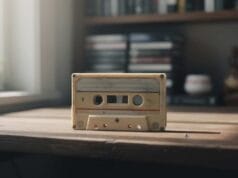
The goal isn’t a clever setup. It’s for someone, in fifty years, to be able to watch their great-grandmother’s Christmas in 1992, look at the photographs from her wedding day, and hear her voice on the cassette where she told the story of the family she came from. Every choice in these two articles serves that — the originals kept rather than thrown out, the redundancy from Part I, the right carrier for each tier, the open formats, the readable index, the letter to the next custodian and the keys they’ll need.
None of it has a single correct answer. The right combination depends on what your family most cares about keeping, how much ongoing attention you can sustain, and what you can spend. That’s the most an article like this can offer: awareness of the choices…
What’s next
Part I — backups is the operational half of this same picture, and the place to start if you’ve landed here directly. If you’d like the less technical companion — the why behind all of it — see The important role of being the family archivist. If you’re capturing at the RF layer rather than from a deck’s composite output, How vhs-decode actually works explains why the RF file is the preservation copy, and Capture hardware in 2026 covers choosing the device that generates the files this article is asking you to protect. For definitions of any of the medium, format or storage terms above, the glossary of terms is the right place.